MotionEye

Motioneye is a video surveillance program that offers motion detection.
I have this setup in constant record where data is recorded and stored for upto a month
Migration to motioneye-project fork
The original ccrisan/motioneye image had been unmaintained since 2020. In August 2026 I migrated to the actively maintained community fork, motioneye-project/motioneye, which picked development back up and has since shipped fixes including CVE-2026-46488.
At the same time I:
- Dropped
privileged: truefrom the container — both cameras connect over RTSP, not as local devices, so it was never actually needed. - Moved
/var/lib/motioneyefrom an anonymous Docker volume to an explicit bind mount, so all container state lives under/ssd/docker/appdata/motioneye/.
The existing camera and motion-detection config carried over cleanly with no changes needed. The only casualty was a stale browser/app session on a phone that had the old live-view page open — the new version's auth scheme is HMAC-based rather than the old signed-username scheme, so any old session just needs a fresh login.
docker-compose.yml
networks:
  phobos-network:
    external: true

services:
  motioneye:
    image: ghcr.io/motioneye-project/motioneye:0.44.0
    container_name: motioneye
    hostname: XMS-Cameras
    networks:
      phobos-network:
        ipv4_address: "172.20.0.15"
    restart: unless-stopped
    ports:
      - "8765:8765"
      - "8081:8081"
      - "8082:8082"
    environment:
      TZ: Europe/London
      NVIDIA_VISIBLE_DEVICES: all
      NVIDIA_DRIVER_CAPABILITIES: compute,video,utility
    deploy:
      resources:
        reservations:
          devices:
            - driver: nvidia
              count: 1
              capabilities: [gpu]
    volumes:
      - /etc/localtime:/etc/localtime:ro
      - /ssd/docker/appdata/motioneye/shared:/shared
      - /ssd/docker/appdata/motioneye/etc:/etc/motioneye
      - /ssd/docker/appdata/motioneye/var-lib:/var/lib/motioneye
      - /disk1/cctv/recordings/xan-cam/:/recordings
      - /ssd/docker/appdata/motioneye/patches/base.py:/usr/local/lib/python3.13/dist-packages/motioneye/handlers/base.py:ro
      - /ssd/docker/appdata/motioneye/patches/motion:/usr/bin/motion:ro
      - /ssd/docker/appdata/motioneye/patches/main.html:/usr/local/lib/python3.13/dist-packages/motioneye/templates/main.html:ro
The last three volume lines are the patches described below — each bind-mounts a modified file from /ssd/docker/appdata/motioneye/patches/ over its stock counterpart inside the image, read-only. None of them touch the image itself, so a plain docker compose up -d re-applies all three on every recreate, and dropping any single line reverts just that one piece of behaviour back to stock.
Authentication disabled
The web UI's login is fully disabled — anyone who can reach :8765 (LAN/VPN only, nothing is exposed to the internet) gets straight in with full admin rights, no credentials at all.
This fork's handlers/login.py doesn't actually support a true "blank password = anonymous viewer" mode: setting a blank @normal_password in motion.conf just makes the login endpoint respond with force_password_change: true, and the frontend immediately force-logs the session back out with a "set a password" prompt. So instead of touching the password config at all, handlers/base.py's BaseHandler.get_current_user() — the one function every request's auth check ultimately calls — was patched to unconditionally return 'admin'. No cookie, no session, no login dialog ever fires; every request is just treated as an authenticated admin from the start.
Dynamic File
As this is hosted on a different host to where Traefik is running, a dynamic file is required for it to be routed through Traefik and with SSL.
Cameras
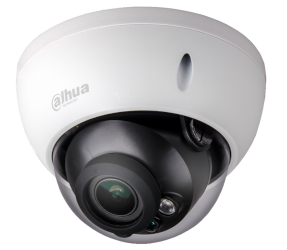
Connected to MotionEye currently is a Dahua camera which overlooks the front of my house and my cars.
I also have a Reolink wifi camera which is being used internally as kind of a pet and toddler camera.
A TP-Link Tapo C121 (int-kitchen) has also been added, covering the kitchen internally at 10.36.102.227. Like the Reolink, it's a WiFi-only camera with no PoE/Ethernet port, so it connects to the isolated camera VLAN (102) over the dedicated hidden XanderC WiFi network rather than a switch port — see Unifi Access Points for how that network is set up.
GPU-accelerated encoding (NVENC/NVDEC)
Phobos has an NVIDIA RTX 4000 SFF Ada sitting mostly idle, so the motion daemon's decode and encode work for the continuous-record Dahua feed is offloaded to it (NVDEC decode, NVENC encode) instead of running on the CPU. This needed a small patch to the motion binary itself — the stock build has a bug that breaks NVENC recording outright — bind-mounted in via the patches/motion volume in the compose file above. Dropped CPU usage for the container from ~150% down to roughly 75-95%.