Blockbusters
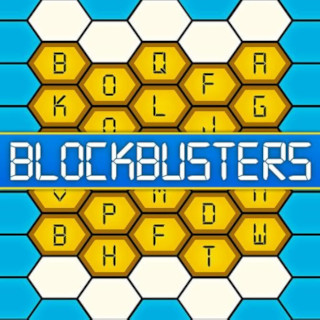
A digital version of the classic Blockbusters TV quiz game. Two teams compete on a hexagonal letter board — one team tries to connect top-to-bottom, the other left-to-right. Players buzz in from their phones to answer questions and claim hexes.
URL: blockbusters.xmsystems.co.uk
How to Play
- Two teams compete — White must connect the top row to the bottom row, Blue must connect left to right across the hex board.
- The host selects a letter from the hexagonal board. A question beginning with that letter is read aloud.
- Players tap their buzzer (white or blue button on their phone) to claim the right to answer. A correct answer wins that hex for the team.
- A wrong answer or no buzz returns the hex to neutral — available for either team next round.
- When a team is one hex away from winning, the board border flashes as a warning.
- First team to form a connected path across their axis wins.
Pages
| URL | File | Purpose |
|---|---|---|
/ |
blockbusters.html |
Game board display — shown on the main screen/TV |
/host |
blockbusters.html |
Host panel — select letters, read questions, award hexes (PIN protected) |
/player |
blockbusters-player.html |
Player buzzer — one per phone, white or blue button |
The game board and host panel are served by the same HTML file (blockbusters.html). The page detects whether the URL path is /host and switches to the host view. The host view is protected by a 4-digit PIN.
Game Display (/)
Shows the hexagonal board for the main screen or TV. Updates in real time as hexes are claimed. Displays a win celebration animation when a team connects their path.
Host Panel (/host)
The host controls all game flow:
- Click a letter on the board to select it — a question for that letter is loaded automatically from the built-in question bank
- Reveal Answer — shows the answer to the host (and pushes it to the display)
- ✓ White / ✓ Blue — awards the hex to the correct team
- ✗ Nobody — clears the hex back to neutral
- New Game — resets the board and scores
The question bank contains 20 questions per letter (A–Z), randomly selected without repeats until exhausted.
Player Buzzer (/player)
A full-screen buzzer page for players' phones. Displays two large buttons — one for each team colour. Tapping buzzes in for that team; the host sees who buzzed first on the Host Panel.
nginx Config
server {
    listen 80;
    server_name blockbusters.xmsystems.co.uk;

    location = /player {
        root  /usr/share/nginx/html;
        try_files /blockbusters-player.html =404;
    }

    location / {
        root  /usr/share/nginx/html;
        index blockbusters.html;
        try_files $uri $uri/ /blockbusters.html;
    }

    location /bbs-ws/ {
        proxy_pass http://blockbusters-server:3010/;
        proxy_http_version 1.1;
        proxy_set_header Upgrade $http_upgrade;
        proxy_set_header Connection $connection_upgrade;
        proxy_set_header Host $host;
        proxy_set_header X-Real-IP $remote_addr;
        proxy_buffering off;
        proxy_read_timeout 3600s;
        proxy_send_timeout 3600s;
    }
}
WebSocket connections from the frontend connect via /bbs-ws/ and are proxied to the blockbusters-server container.
Backend
The backend holds all game state and broadcasts updates to every connected client via Socket.IO.
Docker Compose: /ssd/docker/docker-compose/blockbusters/docker-compose.yml
networks:
  phobos-network:
    external: true

services:
  blockbusters-server:
    build: /ssd/docker/appdata/blockbusters/
    container_name: blockbusters-server
    restart: unless-stopped
    networks:
      phobos-network:
        ipv4_address: 172.20.0.22
Dockerfile: /ssd/docker/appdata/blockbusters/Dockerfile
FROM node:20-alpine
WORKDIR /app
COPY package.json .
RUN npm install --production
COPY server.js .
EXPOSE 3010
CMD ["node", "server.js"]
Dependencies: Express + Socket.IO
Rebuilding
cd /ssd/docker/docker-compose/blockbusters
docker compose build
docker compose up -d --force-recreate
File Locations
| File | Path |
|---|---|
| Game board + host panel | /ssd/docker/appdata/nginx/blockbusters.html |
| Player buzzer | /ssd/docker/appdata/nginx/blockbusters-player.html |
| Hub info page | /ssd/docker/appdata/nginx/game-info-blockbusters.html |
| nginx config | /ssd/docker/appdata/nginx/default.conf |
| Node.js server | /ssd/docker/appdata/blockbusters/server.js |
| Dockerfile | /ssd/docker/appdata/blockbusters/Dockerfile |
| Docker Compose | /ssd/docker/docker-compose/blockbusters/docker-compose.yml |